
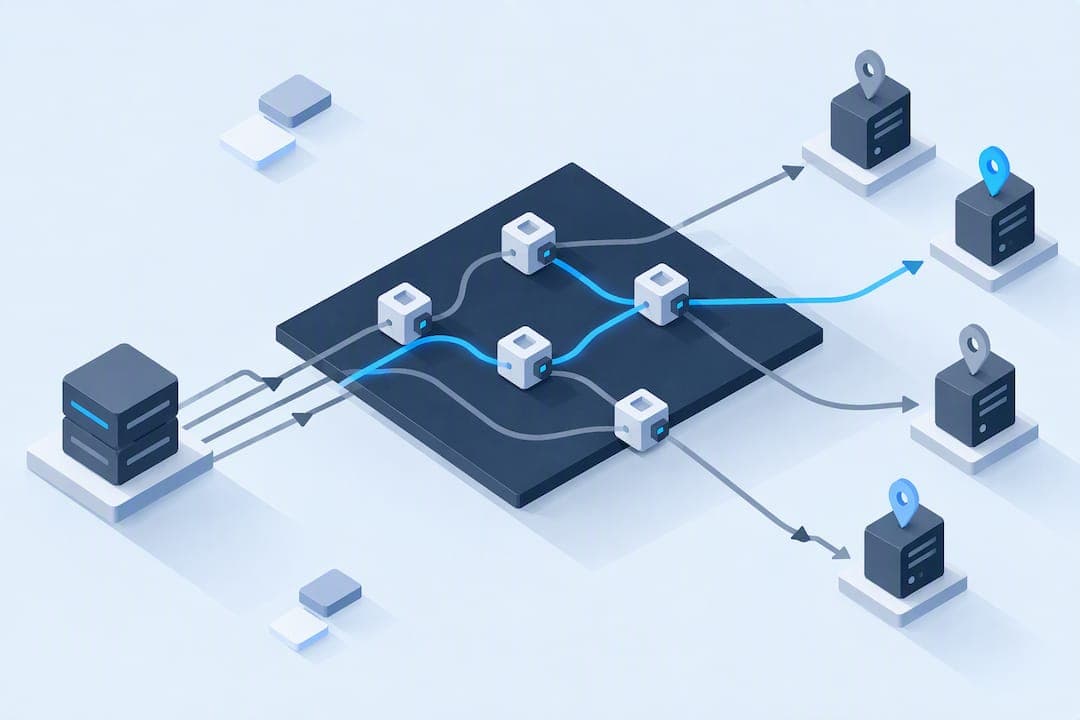
The most reliable approach to IP rotation combines a tiered proxy strategy with disciplined session binding: start with datacenter IPs for low-risk targets, escalate to residential or mobile only when detection demands it, and bind each session to a consistent fingerprint. Watch your 429 responses closely and back off automatically rather than retrying blindly.
TL;DR:
- Rotating proxies are most effective when used against IP reputation or volume limits, especially with datacenter, residential, or mobile IPs, rather than session tracking.
- Sticky sessions are essential for high-detection targets like e-commerce or social media platforms, with session binding and consistent fingerprints reducing blocks.
- Monitoring response codes, especially 429 and 403, and following backoff strategies help avoid triggering detection systems or wasting requests.
- Proper IP pool management involves diversifying subnets and ASNs, avoiding reserved IP space, and aligning rotation frequency with task complexity.
- Starting with the cheapest proxy tier and escalating only after logs indicate IP-based detection is the bottleneck ensures efficient resource use.
Table of Contents
- What IP rotation is and why it matters
- Methods and proxy types for rotating IPs
- How to choose a proxy tier for each target
- Best practices checklist for rotation, sessions, and monitoring
- Implementation patterns for programmatic rotation
- Common pitfalls and detection signals to watch
- What actually deserves your time first
- Where NatProxies fits into your rotation stack
- FAQ
- Sources
What IP rotation is and why it matters
IP rotation means cycling the source IP address your requests appear to come from, usually by routing traffic through a pool of proxies instead of a single static address. The goal is to avoid rate limits, outright IP bans, and the CAPTCHAs that many sites trigger once they see too many requests from one address in a short window.
Servers and anti-bot systems treat your IP as one signal among many. Repeated requests from the same address, unusual request timing, or an IP flagged as a known datacenter range all raise suspicion. But modern detection layers also correlate IP data with browser fingerprint, cookies, TLS handshake details, and behavioral patterns. The OWASP Bot Management and Anti-Automation Cheat Sheet notes that per-IP rate limits alone are coarse and easily bypassed by large residential proxy networks, which is exactly why layered defenses matter on both sides of the fence.
Rotation produces real benefit when IP reputation or volume limits are the binding constraint. It does far less when a site is tracking logged-in accounts, device fingerprints, or behavioral anomalies, where no amount of fresh IPs will mask a mismatched session.
Methods and proxy types for rotating IPs
Several distinct methods exist for rotating your outbound IP, and each comes with its own detectability, cost, and operational profile.
Rotating proxy services sit in front of a large IP pool and swap addresses automatically, either per request or on a sticky basis that holds one IP for a defined session length. Sticky sessions matter when a target site expects continuity, like a shopping cart or a multi-step login flow, while per-request rotation suits simple, stateless scraping.
The IP type matters as much as the rotation logic:
- Datacenter proxies are cheap and fast but carry well-known ASN ranges that many sites flag on sight.
- Residential proxies route through real consumer ISP connections, which makes them far harder to distinguish from genuine traffic but typically cost more per gigabyte.
- ISP proxies combine a datacenter's stability with an ISP's registration, giving a static IP that looks residential without the bandwidth billing of a rotating pool.
- Mobile proxies run over carrier networks and often share carrier-grade NAT space with thousands of real phones, making individual IPs nearly impossible to blacklist in isolation.
VPNs work for simple privacy use cases and light personal browsing, but most commercial VPN IP ranges are already cataloged by anti-bot vendors, limiting their usefulness for automation at scale. Tor offers strong anonymity but is slow, frequently blocked outright by sites that blocklist known exit nodes, and a poor fit for throughput-sensitive scraping. Manual rotation, like switching networks or using a handful of static IPs by hand, is acceptable for small, occasional tasks but doesn't scale past a few dozen requests a day. A deeper breakdown of these proxy types for web scraping is worth reviewing before committing to one.
How to choose a proxy tier for each target
Choosing the right tier starts with an honest read of how aggressively your target monitors traffic, not with whichever proxy type is cheapest.
For low-risk targets, public data endpoints, lightly protected catalog pages, internal tools, datacenter proxies remain the sensible default. They're fast and inexpensive, and escalating beyond them wastes budget. For targets with moderate protection, login walls, rate-limited APIs, or sites that fingerprint casually, ISP proxies offer a static, registered address that avoids the most obvious datacenter flags. For high-detection targets, major e-commerce platforms, ad networks, social media, residential or mobile proxies are usually worth the added cost, since they blend into legitimate consumer traffic.
Session binding is the other half of the decision. Sticky sessions, where one IP persists for a defined window, suit any flow that depends on continuity: carts, authenticated sessions, multi-page forms. Per-request rotation suits one-off lookups where no state needs to survive between calls. Binding the wrong way, rotating mid-session on a site that expects continuity, is one of the fastest ways to trigger a block.
A simple way to frame the trade-off:
- Low risk, high volume: datacenter proxies, per-request or short sticky sessions.
- Moderate risk, account-based tasks: ISP proxies, sticky sessions bound to the account.
- High risk, consumer platforms: residential or mobile proxies, sticky sessions matched to a full browsing profile.
Reviewing ISP versus residential versus mobile proxies side by side helps clarify which tier fits a specific workload before you commit budget to it.
Pro Tip: Start every new target on the cheapest tier that could plausibly work, and only escalate once you've logged actual block or CAPTCHA rates, not assumed ones.
Best practices checklist for rotation, sessions, and monitoring
Once you've picked a tier, the operational details decide whether rotation actually reduces blocks or just adds complexity.
- Match rotation frequency to the task. Rapid per-request rotation suits anonymous, stateless scraping; slower rotation (minutes to hours) suits anything resembling a logged-in human session.
- Bind sessions consistently. Pair each IP with a consistent cookie jar, browser profile, timezone, and locale setting so no single request contradicts the rest of the session.
- Rotate user agents deliberately, not randomly. Pick a user agent that matches the IP's apparent device type and keep it stable for the life of that session.
- Treat 429 responses as a signal, not noise. When a server returns 429 Too Many Requests, the OWASP Denial of Service Cheat Sheet describes this as the standard status for rate-limiting, and recommends client-side backoff and classification logic rather than immediate retries.
- Use exponential backoff with capped retries. A server is not obligated to include a
Retry-Afterheader, so your retry logic should default to backoff even when that header is absent. - Size your proxy pool to your request volume, not the other way around. A pool too small for your traffic just rotates you through the same handful of flagged IPs faster.
- Diversify across subnets and ASNs, not just raw IP count, since many detection systems cluster by network block rather than individual address.
- Log every response code, latency, and block signal so you can tell a temporary throttle from a permanent ban before you waste more requests on a dead IP.
OWASP's bot management guidance also warns that servers should avoid leaking detailed rate-limiting diagnostics, since precise Retry-After or counter data helps attackers tune their request timing to stay just under the threshold, a reminder that the same opacity cuts both ways when you're the one scraping.
On the monitoring side, track block rate per proxy, average time-to-block per IP, 429 frequency by endpoint, and CAPTCHA trigger rate. A sudden jump in any of these usually means either your rotation frequency slipped out of sync with the target's detection window or your session binding broke somewhere in the pipeline.
Implementation patterns for programmatic rotation
Three architectural patterns cover most real-world rotation setups, and the right one depends on how much centralized control you need.
- Client-side rotation embeds proxy selection logic directly in your scraping code. It's simple to build but gets messy once you run multiple scrapers that need to share pool state.
- Gateway-based rotation routes all outbound traffic through a proxy gateway that handles IP selection and lease duration, simplifying client code and centralizing your monitoring in one place.
- A dedicated rotation service goes further, exposing an API that leases a proxy tagged with an affinity key, tying cookies, fingerprint profile, and timezone together so every downstream request sees consistent metadata.
Session allocation typically runs through an affinity key: a scraper requests a proxy, the service leases one and binds it to that key for the session's lifetime, then releases it back to the pool when the task completes. This keeps fingerprint and IP data aligned without each client needing to manage that logic itself.
A typical request lifecycle looks like this: request proxy lease, attach session metadata, send request, check response code, and route anything other than a clean 200 into remediation logic. Classify a 429 as temporary and retry with backoff; classify a 403 or an explicit ban message as a harder block and rotate to a fresh IP outside that subnet rather than retrying the same one. RFC 6585 clarifies that 429 is optional for servers to send at all, so your error handling should never assume its presence.

Pro Tip: Keep lease duration configurable per target instead of hardcoded, since the same scraper often needs a 30-second sticky session on one site and a multi-hour one on another.
Common pitfalls and detection signals to watch
Most rotation failures trace back to a handful of repeatable mistakes rather than the proxies themselves.
- Fingerprint and location mismatches are the highest-signal tell: a browser reporting a US timezone and English
Accept-Languageheader routed through a proxy in another country reads as suspicious almost immediately. - Over-rotation triggers more CAPTCHAs than it prevents, since real users don't change IP mid-session; mimicking human timing and session length matters more than raw rotation speed.
- Reusing a small, stale pool eventually clusters all your traffic on a handful of ASNs, which detection systems flag as a group rather than individually.
- Ignoring reserved or special-purpose address space causes outright failures; the IANA IPv4 special-purpose address registry lists blocks that aren't guaranteed routable and were never meant for external proxy or probing use.
The OWASP scope enforcement standard echoes this from the defender's side, recommending that applications validate CIDR ranges and flag RFC 1918 private space rather than trusting raw IP input, which is a useful reminder that the ranges you rotate through need the same scrutiny. Troubleshooting checkout failures tied to detection signals often comes down to exactly this kind of mismatch.
What actually deserves your time first
If I had to prioritize with limited engineering time, I'd build logging, backoff, and session binding before spending a dollar on residential proxy volume. Most blocks come from sloppy session handling, not from IP reputation alone. Escalate to managed proxy infrastructure only once your logs show IP-based detection is the actual bottleneck, not a guess.
— proxy
Where NatProxies fits into your rotation stack
When logging and session binding are solid but IP reputation is still the bottleneck, a dedicated proxy provider handles the infrastructure so your team doesn't have to manage pool health in-house. We offer dedicated static ISP proxies under AT&T Fresh ISP and T-Mobile Legacy ISP for workloads that need a stable, registered address without datacenter flags, along with rotating residential proxies with country, state, and city targeting for jobs where a consumer-grade IP matters more than raw speed.

When evaluating any provider, check three things: whether sessions can be sticky or per-request on demand, how granular the geographic targeting actually goes, and whether pricing is billed per IP or per gigabyte, since that changes your cost model at scale. Our AT&T Fresh ISP plans run $2.75 per month per IP with unlimited bandwidth, and T-Mobile Legacy ISP runs $1 to $2.50 per month per IP, both with automated delivery after cryptocurrency payment. Full details on all three product lines are on our pricing page.
FAQ
Is it better to have a rotating IP address?
It depends on the task: rotating IPs help avoid rate limits and bans on high-volume or high-detection targets, but a static IP is often better for tasks that need session continuity, like account management. The right call is matching the rotation pattern to the target's detection sensitivity, not defaulting to one approach.
How do I do IP rotation?
Route your traffic through a proxy pool, either client-side, through a gateway, or via a dedicated rotation service, and assign each request or session a fresh IP based on sticky or per-request rules. Pair rotation with consistent session binding (cookies, user agent, timezone) so the IP change doesn't create a fingerprint mismatch.
What is the 100.64.0.0/10 range used for?
Carrier-Grade NAT (CGNAT) is used by mobile and some ISP networks to share a limited pool of public IPs across many subscribers. This explains why mobile proxy ranges often appear to share addresses across large numbers of real devices.
Are IP grabbers illegal?
Legality depends on jurisdiction and intent: collecting an IP address itself isn't universally illegal, but using it to harass, dox, or gain unauthorized access can violate computer misuse or privacy laws depending on your country. Our own acceptable use policy outlines the boundaries we require for any proxy use on our network.
Sources
- Bot Management and Anti-Automation - OWASP Cheat Sheet Series
- IANA IPv4 special-purpose address registry