
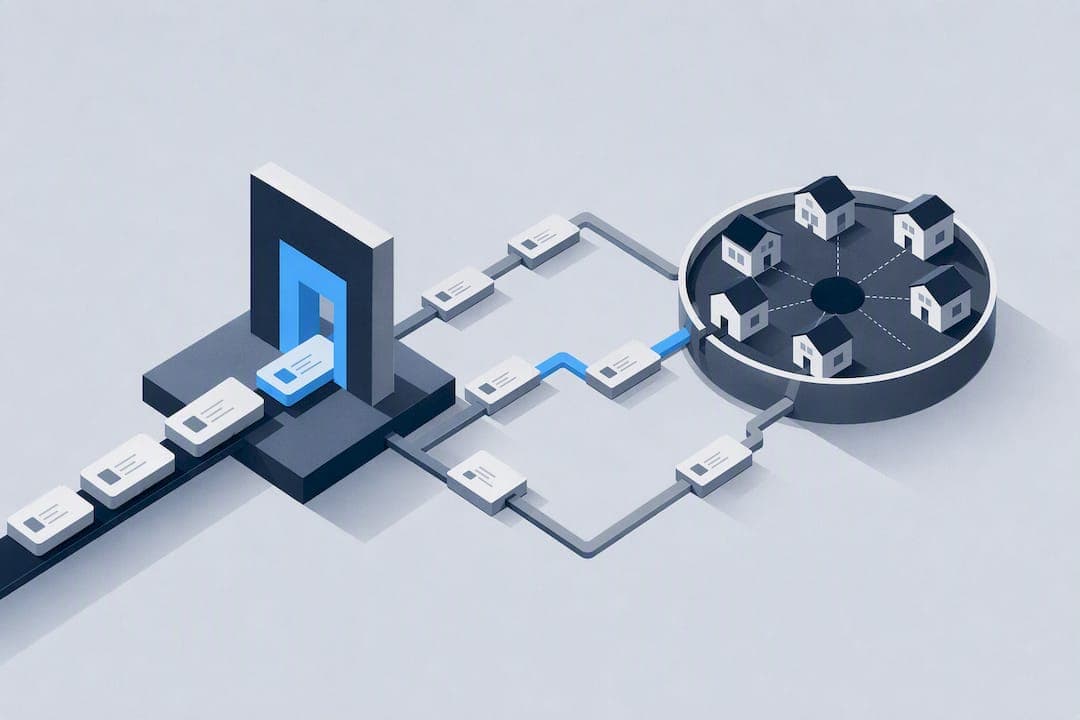
Rotating residential proxies are the right call whenever a scraping or automation job hits sites that actively block bots, flag repeat visitors, or restrict access by region. They fit high-volume data collection, ad verification, and geo-sensitive automation best. Marketing agencies, data teams, and automation engineers benefit most. Start small: pilot with a modest gigabyte pack, track your success rate, and scale once the numbers hold up.
TL;DR:
- Rotating residential proxies are most cost-effective when used for high-volume scraping, ad verification, or regional search tracking, not for session-dependent tasks.
- They work by automatically switching IP addresses through a backconnect gateway, with configurable rotation intervals for request or session based control.
- Success depends on testing rotation intervals per target to avoid early detection and throttling in multi-step flows like logins or checkouts.
- Costs vary based on billing models, with success-based billing recommended for high-block-rate targets to avoid paying for failed attempts.
- Always verify provider sourcing, pool size, geotargeting precision, and support for your operational needs before investing in a plan.
Table of Contents
- What Is a Rotating Residential Proxy, Exactly?
- How Does Rotation and Session Management Actually Work?
- When Should You Use Rotating Residential Proxies?
- What Should You Check Before Choosing a Provider?
- How Much Do Rotating Residential Proxies Actually Cost?
- How Do You Integrate Rotating Proxies Into Your Stack?
- What Risks and Compliance Issues Should You Plan For?
- NatProxies' Rotating Residential Offering
- What Should Your Pilot and Scaling Plan Look Like?
- Ready to Test Rotating Residential Proxies?
- Sources
What Is a Rotating Residential Proxy, Exactly?
A rotating residential proxy routes your traffic through real home internet connections, and it swaps that IP address automatically at set intervals or with every new request. The switching happens through a backconnect gateway, a single access point that hands you a fresh IP from a shared pool without forcing you to manage individual addresses yourself. Because the IPs come from actual internet service providers assigned to real households, target websites see traffic that looks like ordinary consumer browsing rather than a data center hammering their servers.
That distinction is why rotating residential proxies routinely get past defenses that stop datacenter traffic cold. Rotating proxies automatically assign new IP addresses to dodge rate limits, CAPTCHAs, and blocks, and providers typically let you set rotation anywhere from every single request to sessions that hold for minutes or hours.
Here's how the main proxy types stack up against each other:
- Datacenter proxies: fast and cheap, but IPs are easy to flag since they come from known hosting ranges rather than residential ISPs.
- Static residential (ISP) proxies: a fixed residential IP that doesn't rotate, useful for tasks needing a consistent identity over time.
- Mobile proxies: IPs from cellular carriers, harder to block but usually pricier and slower under heavy load.
- Rotating residential proxies: the best blend of stealth and reliability for high-volume work, at a higher per-GB cost than datacenter options.
If your target site has light or no bot detection, a datacenter proxy is cheaper and just as effective. Save rotating residential for the sites that actually fight back. A closer look at ISP versus residential versus mobile proxies breaks down which fits which job.
How Does Rotation and Session Management Actually Work?
The backconnect gateway is the traffic cop. You send every request to one endpoint, and the gateway decides, request by request, which residential IP in the pool handles it. You never see or manage the underlying IP list directly. What changes is how long the gateway keeps you on the same IP before swapping it out.
Providers generally give you two modes, and most let you toggle between them per request:
- Per-request rotation: a new IP on every call, ideal for high-throughput scraping where each request is independent.
- Sticky sessions: the gateway holds one IP for a set window, often 1 to 30 minutes, so multi-step flows like logins or checkout sequences don't fall apart mid-session.
- Custom session length: some providers let you define exact hold times or force a rotation on demand through a session ID parameter.
Authentication usually runs through username and password credentials embedded in the request, or IP whitelisting tied to your server's outbound address. Concurrency limits, meaning how many threads or ports you can run simultaneously, vary a lot by provider and plan tier, and they directly cap how fast you can crawl. Push past your concurrency ceiling and you'll see throttled connections or dropped requests, not a graceful queue.
Anti-bot systems on the target side watch for patterns beyond just IP reputation: request timing, header consistency, and session behavior all factor in. Rotating too aggressively on a site that expects session continuity, like a logged-in account area, can trigger detection just as fast as not rotating at all.
Pro Tip: Test your rotation interval against a single target before scaling. A session set too short on a multi-step checkout or login flow burns through requests fast and racks up charges on a job that was doomed from the first click.
When Should You Use Rotating Residential Proxies?
Rotating residential proxies earn their cost on jobs where scale and stealth matter more than session continuity. Here's where they consistently outperform other proxy types:
- High-volume web scraping: pulling product catalogs, pricing data, or listings across thousands of pages where each request can stand alone.
- Ad verification: checking how ads render across regions and devices, since you need real-looking traffic from the exact geography being served.
- SERP tracking: pulling search rankings across countries and cities without triggering the search engine's rate limits.
- Social media automation and monitoring: gathering public data at scale where account persistence isn't the goal.
Where rotation actually works against you is anything requiring identity consistency: logging into an account, managing a shopping cart through checkout, or running a bot task like sneaker purchases where the same session has to survive multiple steps. Those jobs call for a static ISP proxy built for sneaker botting or a sticky session held long enough to complete the flow.
Most real operations aren't purely one or the other. A common pattern: rotating residential proxies handle the bulk data pull, while a small pool of static IPs manages the handful of authenticated accounts feeding that pipeline. Building your architecture around a single proxy type when your workflow actually needs both is one of the more expensive mistakes teams make early on. Ad verification campaigns in particular often blend both, using rotation for broad geographic sampling and dedicated proxies for consistent ad-account monitoring.

What Should You Check Before Choosing a Provider?
Run any candidate provider through a checklist that covers technical fit, day-to-day reliability, and the fine print on your invoice, because problems in any one of those three areas will eventually cost you real money.
On the technical side, look for:
- Pool size and how recently it's refreshed, since a large but stale pool burns through usable IPs fast.
- Geotargeting depth: country-level is table stakes, but state, city, ASN, and ZIP-level targeting matter for localized campaigns.
- Rotation and session controls you can actually configure, not just a fixed default you're stuck with.
- Authentication options that fit your stack, whether that's credentials or IP whitelisting.
Advertised pool size gets marketed aggressively across the industry, but a bigger number on a landing page doesn't guarantee availability in the specific city or ASN you're targeting. Test the region you actually need before you commit to a plan based on headline numbers.
On the operational side, demand real answers on success rate under load, retry policy for failed requests, concurrency ceilings, and average latency, plus whatever uptime commitment the provider will put in writing.
Commercially, get the billing model in plain language: per-GB, credit-based, or flat subscription, along with any monthly minimum spend and whether failed requests still count against your usage. Reviews on sites like G2 and Trustpilot can surface real complaints about support response times and billing surprises, though weigh them alongside your own small-scale test since review pages mix verified and unverified feedback.
Finally, check documentation quality, SDK availability for your language, and whether the provider states how it sources its residential IP pool.
How Much Do Rotating Residential Proxies Actually Cost?
Pricing splits into three common structures, and picking the wrong one for your workload is the fastest way to overpay.
- Per-GB billing: you pay for bandwidth consumed, regardless of whether requests succeed or fail. Simple to predict, but wasteful if your target blocks a lot of attempts.
- Credit or success-based billing: some providers charge only for successful requests, which can cut costs sharply on targets with high block rates, provided "success" is clearly defined in your contract.
- Flat subscription tiers: a fixed monthly allotment of bandwidth or requests, best for predictable, steady-volume workloads.
Here's a worked estimate for a 10 million request scraping job. Under a credit-based model charging only for the 7 million successful pulls, your bill reflects actual delivered data rather than every failed attempt plus its retry.
The traps to watch for: failed requests that still consume bandwidth or credits under a mislabeled "success" definition, monthly minimums that punish small pilots, and retry logic on your end that accidentally re-bills the same request multiple times. Read the fine print on failed-request policy before you sign anything, since comparisons across providers show this is where hidden costs hide.
How Do You Integrate Rotating Proxies Into Your Stack?
Most providers expose one gateway endpoint, and you authenticate per request rather than managing individual IPs. A basic cURL call against a rotating endpoint looks roughly like this:
curl -x gateway.provider.com:7000 -U "username:password" https://targetsite.com
For a sticky session, you typically append a session ID to the username field, something like username-session-abc123, and the gateway holds that IP for the configured window instead of rotating on the next call.
A few habits keep your setup clean and your bill accurate:
- Rotate user agents and headers alongside your IP, since a fresh IP paired with a stale browser fingerprint is an easy detection signal.
- Clear cookies between rotations unless you're intentionally running a sticky session that needs them.
- Build retry logic with idempotence checks so a timeout doesn't trigger a duplicate request that bills you twice for the same data.
- Monitor pool health with a lightweight success-rate dashboard rather than waiting for a spike in failed requests to notice a problem.
Pro Tip: Log the response code and the IP used for every request during your first week live. When success rates dip, that log tells you whether it's a specific region, ASN, or session length causing the drop, instead of guessing.
Scaling past a pilot means watching for pool exhaustion in your target region, especially if you've locked into narrow city or ZIP-level targeting where the available IP count is naturally smaller than at the country level.

What Risks and Compliance Issues Should You Plan For?
Even with rotation working correctly, expect some friction: bans, CAPTCHA challenges, and escalating detection are normal parts of scraping at scale, not signs your setup is broken. Websites routinely use IP blocking as a standard defense against automated traffic, so plan for a nonzero failure rate rather than aiming for zero.
Ethical sourcing of the residential IP pool matters more than most buyers realize. Some pools come from users who knowingly opt into bandwidth-sharing apps, while others have murkier origins. Ask any provider directly how their pool is built.
Practical steps worth taking:
- Request the provider's sourcing statement in writing before signing a contract.
- Test against a non-critical target first to establish a baseline success rate.
- Set internal rate limits even when a provider allows higher concurrency, to avoid triggering aggressive countermeasures.
For any regulated activity, involve legal or compliance review before scaling, since rules around automated data collection vary by jurisdiction and by target.
NatProxies' Rotating Residential Offering
NatProxies runs rotating residential proxies with country, state, and city targeting, alongside dedicated static ISP proxies for tasks that need a fixed identity instead of rotation. The residential line pairs unlimited bandwidth options with that geographic targeting depth, aimed at teams running scraping, ad verification, and automation at volume rather than one-off lookups.
Marketing agencies, web developers, and data analysts use the service for exactly the workflows this article covers, from SERP tracking to large-scale scraping projects. Uptime figures, independent performance benchmarks, and published case studies from current clients aren't publicly listed at this time, so weigh those against your own pilot results rather than a marketing claim.
What Should Your Pilot and Scaling Plan Look Like?
Run your pilot against a real target, not a synthetic test page. I'd scope it at 50,000 to 100,000 requests, enough to expose regional gaps or session issues without burning a full monthly budget. Track three numbers religiously: successful request percentage, cost per successful request, and average latency under your expected concurrency.
Scale once success rate holds above your target threshold for at least a few consecutive days and cost per success lands where your unit economics need it. Automate the monitoring before you scale, not after. A dashboard that catches a regional drop on day one saves far more money than one built after the invoice arrives.
— proxy
Ready to Test Rotating Residential Proxies?
Skip the guesswork of estimating gigabytes against a target you've never actually hit. NatProxies lets you buy a small rotating residential pack, run it against your real target, and see the actual success rate and cost per successful pull before committing to volume.

Start with the rotating residential product page to check current country, state, and city targeting options, then compare bandwidth tiers on the pricing page. If your workflow also needs a fixed identity for account-based tasks, the ISP proxy line covers that side without forcing you onto a second vendor. Run a 100,000-request pilot first, measure your success rate and cost per successful request, then scale the pack size once those numbers clear your threshold.
Sources
- The 11 Best Rotating Proxies of 2026: Options for All Budgets
- The 5 Best Rotating Proxies in 2026
- IP address blocking — Wikipedia