

Use rotating proxies for high-volume, independent requests, like price checks and wide scraping, where each request stands on its own. Use static or sticky proxies when a task depends on session continuity, such as logins, checkout flows, or long-term account monitoring. Most providers now support both modes on the same infrastructure, so the real decision comes down to your traffic shape and whether the target site tracks state between requests.
TL;DR:
- Rotating proxies are ideal for high-volume, stateless tasks like price checks and broad scraping, but they do not support session persistence needed for logins or shopping carts.
- Static proxies provide long-term IP stability suitable for account management and monitoring, with maximum session durations often measured in days or weeks.
- Vendor flexibility allows switching between proxy modes, using rotation for discovery and static for depth, saving costs and improving workflow efficiency.
- Costs differ: rotating proxies are billed per GB of traffic, while static proxies are typically billed per IP, per month, depending on usage and task requirements.
- Before choosing, verify session duration limits, geographic targeting granularity, and whether the task involves server-side session state to match the proxy type to your workflow.
Table of Contents
- Rotating vs Static Proxies: The Core Technical Differences
- What Are Static Proxies?
- What Are Rotating Proxies?
- Rotating vs Static Proxies: A Side-by-Side Comparison
- How to Choose Between Rotating and Static Proxies
- How NatProxies Handles Both Proxy Modes
- Why Skilled Teams Blend Both Modes, Not One
- Get Proxy Access That Matches Your Workflow
- Sources
- FAQ
Rotating vs Static Proxies: The Core Technical Differences
The distinction boils down to one mechanism: does the IP change per request, or does it stay fixed long enough to hold a session?
- Rotation pattern: rotating proxies assign a new exit IP on every request or on a short timer, which spreads traffic across a large pool and keeps any single IP from taking the brunt of a rate limit, according to ProxyFacts.
- Session continuity: static and sticky proxies hold one IP for a defined window, so a website sees the same client across multiple steps, a requirement for logins and multi-page checkout flows.
- Use-case match: rotating suits broad, stateless scraping and price monitoring; static suits stateful workflows, account management, and any job where you need a persistent vantage point in one city or ISP block.
- Pricing signal: rotating residential proxies are typically billed per GB of traffic, while static and ISP proxies are usually billed per IP, per month, per ProxyFacts.
- Sticky hold limits: sticky sessions on a rotating pool usually last minutes to hours, not days. Verify a vendor's maximum hold time before building a workflow that assumes multi-day persistence.
Quick stat: sticky sessions commonly persist from minutes to hours depending on the vendor, while dedicated ISP or static residential products are built for persistence measured in days or weeks, according to proxyscraping. That gap between "sticky" and "static" trips up more buyers than any other spec on a pricing page.
What Are Static Proxies?
"Static" gets used loosely in the proxy market, and that looseness costs buyers money. A sticky session is a temporary hold on an IP inside a rotating pool. A true static proxy, usually sold as a dedicated ISP or static residential product, assigns you the same IP indefinitely, sometimes for the life of your subscription. Confusing the two is the single most common mistake in the "rotating vs static proxies" search.
Static proxies break down into three practical subtypes:
- Static datacenter: fast and cheap, hosted in a data center rather than assigned by an internet service provider. Easy for advanced anti-bot systems to flag, since the IP range is known to belong to a hosting company rather than a residential ISP.
- ISP/static residential (dedicated): registered under a residential internet service provider but hosted on stable server infrastructure. This combination gives you the trust signal of a residential IP with the uptime and speed of a datacenter connection, which is why it's the default choice for long-lived scraping vantage points and account management.
- Mobile static: a fixed IP tied to a mobile carrier network. Rare, expensive, and reserved for jobs where mobile-specific targeting matters, like verifying mobile ad creatives.
The advantage of any static setup is predictability. Once a platform trusts your IP, that trust accumulates. Logins stay logged in. Shopping carts stay populated. A monitoring dashboard checking the same page every hour doesn't have to re-authenticate each time. The disadvantage is concentration risk: you're relying on one IP's reputation, and if that IP gets flagged or rate-limited, you have no fallback until you rotate to a new one manually.
Vendor-published sticky maximum hold durations are a genuinely useful shopping signal. If a provider's sticky sessions cap out at 10 minutes and your login flow takes 25 minutes to complete a multi-step verification, sticky won't cut it. You need a dedicated static IP instead, per the guidance in ProxyFacts.
Pro Tip: Before committing to a static IP for a new target site, run a short trial with sticky sessions first. If sticky holds long enough for your workflow, you save money. If it doesn't, you've confirmed you need the dedicated product before signing up for a monthly commitment.
What Are Rotating Proxies?
Rotating proxies cycle through a pool of IP addresses, either on every single request or on a fixed timer, so that consecutive requests to the same target rarely come from the same address twice in a row. This is the mechanism Bright Data and most vendor documentation point to first when explaining why rotation reduces block rates.
There are three common rotating subtypes, and they differ sharply in cost and detectability:
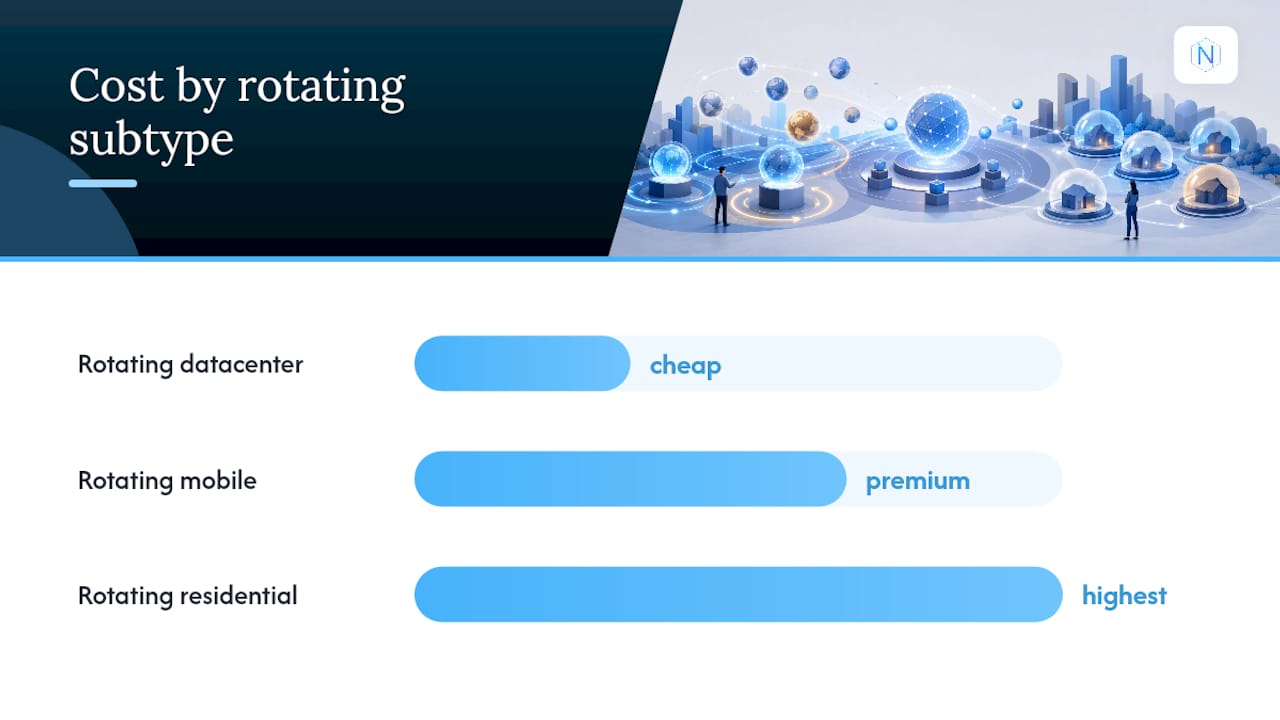
- Rotating residential: IPs come from real home internet connections, which makes them the hardest for anti-bot systems to distinguish from ordinary visitors. Priced highest, usually per GB.
- Rotating datacenter: IPs come from cloud or hosting providers. Fast and cheap, but datacenter IP ranges are widely blacklisted by e-commerce and social platforms, so block rates run higher.
- Rotating mobile: IPs come from cellular carrier networks and rotate through carrier-grade NAT pools. Excellent for mobile app testing and ad verification, at a premium price.
Rotation's core benefit is load distribution. Instead of hammering one IP until a rate limiter notices, you spread thousands of requests across a pool large enough that no single address looks suspicious on its own. That's exactly what makes rotation the right call for price-comparison scraping, search engine result monitoring, and any job made up of many small, independent lookups.
The catch: rotation actively breaks state. A shopping cart built on request one won't exist when request two arrives from a different IP, because most sites tie session cookies to an originating address, at least loosely. Rotate too aggressively on a site that expects human browsing patterns, and you create a different kind of red flag, one request per IP arriving faster than any person could click.
Rotation doesn't fix a bad reputation. A rotating pool stacked with low-quality datacenter IPs will still trigger CAPTCHAs constantly. Rotation reduces per-IP rate-limit pressure, but it can't substitute for genuine residential IP reputation or correctly configured browser fingerprints and headers, according to proxyscraping. Buyers who assume "more IPs equals fewer blocks" without fixing their fingerprint setup often get worse results than a smaller, cleaner static pool would have delivered.
Rotating vs Static Proxies: A Side-by-Side Comparison
Match the dimension to the job before you match the vendor.
| Dimension | Rotating proxies | Static/sticky proxies |
|---|---|---|
| IP behavior | New IP per request or timer | Same IP held for a set window or indefinitely |
| Session continuity | Breaks between requests | Maintained across the session |
| Concurrency | High, spreads across large pool | Limited by number of dedicated IPs purchased |
| Throughput limits | Rarely hits per-IP caps | Can hit per-IP rate limits under heavy load |
| Cost model | Usually billed per GB | Usually billed per IP, per month |
| Detectability risk | Low per request, higher if fingerprint is inconsistent | Low if reputation is built and maintained; high if the single IP gets flagged |
Applied to real jobs, the choice gets simpler:
- Price and inventory scraping: rotating. You're making thousands of stateless lookups; you want maximum IP diversity, not continuity.
- Ad verification: rotating, often paired with geo-targeted residential IPs to confirm creatives are rendering correctly in specific markets.
- Login flows and account dashboards: static or long-hold sticky. The platform expects the same client across the session, and switching IPs mid-flow often triggers a security challenge or forced re-authentication.
- Multi-account management: static, one dedicated IP per account, so platforms don't see the same address managing dozens of profiles in a suspicious pattern.
- Long-term monitoring of a single page or dashboard: static. You want a stable, trusted vantage point that doesn't reset its reputation every hour.
The technical mechanism behind sticky sessions is worth understanding before you configure anything: providers typically bind a session identifier, embedded directly in the proxy username, to a specific exit IP at the gateway level. Change that session ID, and you get a new IP; keep it constant, and the gateway keeps routing you to the same address until the session expires, per proxyscraping. This is why many providers describe rotating and sticky as modes on the same underlying pool rather than two separate products. You're often one username parameter away from switching behavior entirely, without changing plans or endpoints. When a job genuinely needs multi-day persistence rather than a multi-hour session, though, that gateway trick stops being enough, and you need a dedicated static ISP allocation instead.
How to Choose Between Rotating and Static Proxies
Run through this checklist before you buy anything:
- Does the target site maintain server-side session state? If logins, carts, or multi-step forms are involved, lean static or long-hold sticky.
- How long does one task take end to end? A five-minute login flow fits inside most sticky windows. A three-day monitoring job needs a dedicated static IP.
- How many independent requests do you need per hour? High-volume, low-complexity lookups favor rotating, since you avoid per-IP throttling entirely.
- How many accounts or profiles are you managing? Each profile that needs to look like a distinct, consistent user should get its own static IP.
- Does the job require specific geographic targeting? Both modes support city, state, and country targeting, but confirm the granularity before committing.
For cost estimation, run rough numbers before you commit. A scraping job pulling 50 GB a month across a wide rotating residential pool gets billed on that bandwidth. A monitoring job that only needs five persistent vantage points, checked a few times an hour, gets billed per IP instead, often coming out cheaper than the equivalent bandwidth on a rotating plan. Compare both models against your actual traffic pattern before assuming one is universally cheaper.
When you're evaluating a vendor, ask directly: what's the maximum sticky hold time, what authentication and session-ID options exist, how many concurrent sessions are allowed, how granular is the geographic targeting, and what happens if your traffic bursts above your plan's baseline. Vague answers on any of those five questions are a red flag. So is a provider claiming a huge "ISP pool" that turns out to be a few thousand IPs recycled across every customer, or a static product with no documented authentication method beyond a shared password.
Pro Tip: Ask for a small trial allocation before buying a large static block. A handful of test IPs will show you real block rates on your specific target site faster than any vendor spec sheet.
How NatProxies Handles Both Proxy Modes
Natproxies offers dedicated product lines for both proxy modes, including dedicated static ISP proxies designed for jobs needing a stable, long-lived vantage point. Rotating residential proxies provide options with geographic targeting and flexible session management, typically billed based on usage.
That split maps directly onto the use cases covered above:
- Long-term account management or login-heavy workflows fit the dedicated ISP line, where the IP doesn't change out from under you.
- Wide scraping, ad verification, and SEO monitoring across multiple regions fit the rotating residential line, with geo targeting down to the city level.
- Automated crypto checkout means you can size up bandwidth or IP count without waiting on a sales call.
Readers already running a scraping pipeline can compare both product pages against their current traffic before switching providers.
Why Skilled Teams Blend Both Modes, Not One
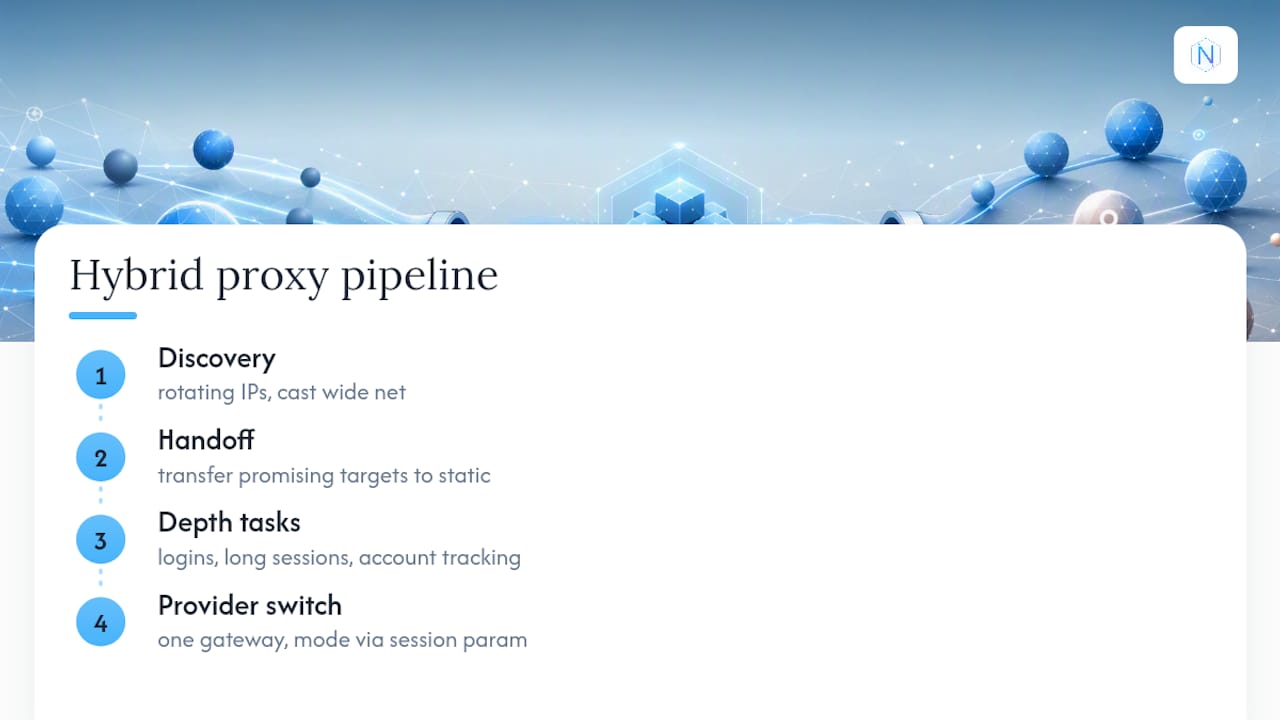
Most articles on this topic frame it as a binary choice, and that framing undersells how real automation pipelines actually run. The strongest setups use rotation for discovery, casting a wide net across thousands of pages or listings, then hand off promising targets to a sticky or static IP for anything that requires depth: logging in, holding a session, or tracking a single account over weeks.
Treating "rotating vs static" as an either/or decision is where most scraping projects waste money, either overpaying for dedicated IPs they don't need or underpaying for stability they can't get from a pool that resets every few minutes. The providers that expose both modes on one gateway, switchable through a session parameter, make that hybrid approach cheap to implement. The teams that get this right built their pipeline logic around the task, not around whatever proxy type they happened to buy first.
— proxy
Get Proxy Access That Matches Your Workflow
Natproxies gives you both sides of this decision under one account instead of forcing a choice between two vendors. If your job needs a stable, long-lived IP for logins or account management, the dedicated static ISP proxies come with unlimited bandwidth and multiple authentication options. If it's high-volume scraping or ad verification across specific markets, the rotating residential line covers country, state, and city targeting billed per GB.

Both product lines support instant cryptocurrency payment with automated delivery, so you can size up bandwidth or IP count the same day you need it, no waiting on approval calls. Check the pricing page to compare per-IP and per-GB costs against your own traffic shape, then pick the product line that matches the job in front of you.
Sources
Technical claims on session binding, sticky hold durations, and pricing models draw from vendor-facing explainers built specifically to compare these two modes: ProxyFacts's rotating vs static breakdown, proxyscraping's guide to sticky sessions, and Bright Data's proxy-type comparison. Each covers the mechanics of session binding and mode selection in more technical depth than this overview allows.
- Rotating vs Static (Sticky) Proxies: Which to Use in 2026 | ProxyFacts
- Rotating vs sticky sessions: when each proxy mode wins | proxyscraping
FAQ
What Are the Two Main Types of Proxies?
The two core modes are rotating, which assigns a new IP per request or timer, and static (or sticky), which holds one IP for a session or indefinitely. Subtypes within each, like datacenter, residential, ISP, and mobile, determine cost and detectability.
What Can I Use Rotating Proxies For?
Rotating proxies work best for high-volume, independent requests: price and inventory scraping, search engine monitoring, and ad verification across multiple regions, where each request doesn't need to share state with the last one.
Is a Rotating IP Good for Every Task?
No. Rotating IPs are strong for stateless, high-volume jobs but weak for anything requiring session continuity, like logins or shopping carts, since a new IP mid-session often forces re-authentication or looks suspicious to the target site.
What Are Static Proxies Used For?
Static proxies, especially dedicated ISP products, are used for logins, multi-account management, and long-term monitoring where a platform needs to see the same trusted IP repeatedly. Providers like Natproxies sell these as always-on, per-IP allocations rather than time-limited sticky sessions.
How Do Sticky Sessions Differ From True Static Proxies?
A sticky session temporarily holds an IP within a rotating pool, usually for minutes to hours, while a true static or ISP proxy assigns you that IP for the length of your subscription, days to months at a time.