
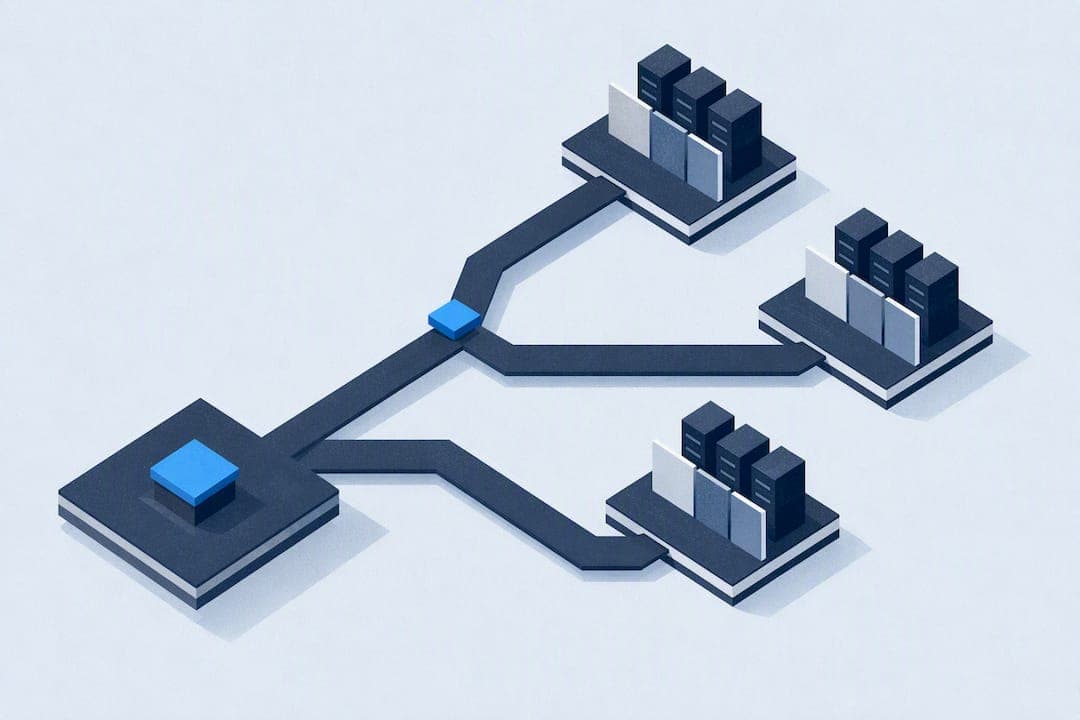
Use your provider's backconnect endpoint when it's available; it handles rotation for you and cuts out a layer of moving parts. Without one, install scrapy-rotating-proxies for fast setup, or write a custom downloader middleware when you need sticky sessions or per-domain proxy pools. The sections below cover exact settings, a production middleware pattern, and the tuning that keeps large crawls alive.
TL;DR:
- Using a provider's backconnect endpoint simplifies proxy rotation but relies heavily on the provider’s handling of session stickiness and IP rotation.
- Scrapy's default
HttpProxyMiddlewareonly assigns proxies per request without rotation, requiring additional middleware or provider-layer solutions for pool management.- Proper setup of
scrapy-rotating-proxiesinvolves configuring multiple middleware settings, proxy lists, and backoff parameters to enhance reliability and ban detection.- Custom middleware offers full control over proxy management, including sticky sessions and per-domain pools, but demands careful implementation and testing.
- Managed proxy endpoints automate rotation and session handling, reducing engineering overhead, especially for large-scale crawls needing geographic targeting or consistent IPs.
Table of Contents
- Which Scrapy Proxy Rotation Method Should You Pick?
- How Does Scrapy Handle Proxies by Default?
- How Do You Set Up scrapy-rotating-proxies?
- How Do You Build a Custom Rotating Proxy Middleware?
- What Settings Make Proxy Rotation More Reliable?
- Why Is My Scrapy Proxy Rotation Failing?
- What Security and Anonymity Risks Should You Watch For?
- Is Web Scraping With Proxies Legal?
- Provider Rotation or Scrapy Middleware: Which Actually Wins?
- When Does a Managed Proxy Endpoint Make Sense?
- Sources
Which Scrapy Proxy Rotation Method Should You Pick?
Three paths get you to working proxy rotation, and each trades simplicity for control differently.
- Provider backconnect endpoint: You point Scrapy at one rotating gateway address and the provider swaps IPs behind it. Fewest moving parts, but session persistence depends entirely on how the provider's backconnect handles sticky connections.
- scrapy-rotating-proxies: An installable middleware with built-in health tracking, ban detection, and configurable backoff. Good middle ground when you manage your own proxy list but don't want to write retry logic from scratch.
- Custom downloader middleware: Full control over sticky sessions, per-domain proxy pools, and cooldown logic. The right call for login-gated sites or workflows where losing session state mid-crawl breaks everything.
Pick based on three triggers: how large the crawl is, whether you need sticky sessions, and how much engineering time you want to spend versus how much you're willing to pay a provider to handle it.
How Does Scrapy Handle Proxies by Default?
Scrapy's built-in HttpProxyMiddleware sets request.meta['proxy'] on a request and also respects certain environment proxy variables, according to the Scrapy documentation. That's the entire job it does. It applies whatever proxy you specify to that one request; it doesn't cycle through a pool or swap IPs on the next request.
There's a wrinkle worth knowing before you build anything on top of it: some download handlers don't honor per-request proxy meta the same way. The HTTP/2 handler and Httpx-based handlers can behave differently than the default HTTP11DownloadHandler, so if you're mixing download handlers, verify proxy behavior on each one individually.
The practical takeaway: rotation has to live somewhere else, either in downloader middleware you add yourself or at the provider layer. Scrapy gives you the hook, not the rotation logic, as ScrapeOps notes in its rotation guide.
How Do You Set Up scrapy-rotating-proxies?
Getting this running takes about ten minutes if you follow the order below.
- Install it:
pip install scrapy-rotating-proxies. - Add both middlewares to
DOWNLOADER_MIDDLEWARESinsettings.py:rotating_proxies.middlewares.RotatingProxyMiddlewareandrotating_proxies.middlewares.BanDetectionMiddleware. - Supply your proxy list with
ROTATING_PROXY_LIST(a Python list of strings) or point to a file withROTATING_PROXY_LIST_PATH. Entries look likeuser:pass@host:portor a full scheme likehttp://user:pass@host:port. - Tune retry behavior with
ROTATING_PROXY_PAGE_RETRY_TIMESto cap how many times a single page gets retried before giving up on that proxy. - Leave
ROTATING_PROXY_BACKOFF_BASE(default around 300 seconds) andROTATING_PROXY_BACKOFF_CAP(default around 3,600 seconds) at their defaults unless you're seeing proxies get benched too aggressively or not fast enough. The middleware uses randomized exponential backoff to recheck dead proxies, according to the project's GitHub readme. - Set
ROTATING_PROXY_CLOSE_SPIDERtoTrueif you want the spider to stop cleanly when the entire pool goes dead, rather than grinding on with zero working proxies. - Override
ROTATING_PROXY_BAN_POLICYwith your own class if the default ban detection (based on status codes and response patterns) doesn't match how your target site actually blocks you.
You can bypass rotation on a specific request by setting request.meta['proxy'] = None, or force a specific proxy by assigning it directly. Both overrides work per request.
Pro Tip: Start with the default backoff values. Most developers tune them down before they've actually confirmed the defaults are the problem, and end up burning good proxies by benching them too fast after one bad response.
How Do You Build a Custom Rotating Proxy Middleware?
When scrapy-rotating-proxies doesn't fit, a custom downloader middleware built around a small set of primitives handles most production cases. This pattern, drawn from patterns DataResearchTools documents for Scrapy proxy handling, uses three data structures: a proxies list, a bad_until dict mapping each proxy to a timestamp it's benched until, and a fail_count dict tracking consecutive failures per proxy.
The middleware hooks into four lifecycle methods:
from_crawlerloads your proxy list and settings when the spider starts.process_requestpicks a live proxy (skipping anything still in itsbad_untilwindow) and assigns it to the request.process_responsechecks the status code and content; a 403, 429, or an empty body triggersmark_bad, anything clean triggersmark_good, which resetsfail_countto zero.process_exceptioncatches connection errors and timeouts and routes them throughmark_badtoo.
The cooldown formula matters more than it looks. A plain exponential backoff (base * 2^fail_count) causes every proxy that fails around the same time to come back online at the exact same moment, which just creates a fresh wave of bans. Add randomized jitter, something like base * 2^fail_count * random.uniform(0.8, 1.2), so recovered proxies re-enter the pool staggered rather than all at once.
For sticky sessions, key your proxy assignment by a session ID stored in request.meta instead of picking randomly each time, so the same visitor identity keeps the same IP across a login flow. For per-domain pools, namespace your proxies list by domain so a proxy that's banned on one site can still work fine on another.
Order this middleware before HttpProxyMiddleware and after RetryMiddleware in DOWNLOADER_MIDDLEWARES so retries get a fresh proxy rather than hitting the same dead one twice.
Pro Tip: Write a unit test that simulates a string of 502s and 503s hitting one proxy, then asserts it lands in bad_until with the right cooldown. Log alive/dead counts on an interval too; a pool quietly bleeding out over three hours is much harder to spot from response logs alone.
What Settings Make Proxy Rotation More Reliable?
Rotation without the right supporting settings just moves the failure point somewhere else. Run through this checklist before a large crawl:
- Treat 403, 407, 502, 503, and 504 as ban signals, not just server errors, and add them all to
RETRY_HTTP_CODESalongside 408, 429, and 500. - Rotate
User-AgentandAccept-Languageheaders in step with IP changes. A fresh IP paired with a stale, obviously-scraped header set is often more suspicious than no rotation at all. - Set
RETRY_TIMESandDOWNLOAD_TIMEOUTdeliberately rather than leaving Scrapy defaults, since a slow proxy that eventually succeeds shouldn't get treated the same as one that's dead. - Watch
CONCURRENT_REQUESTS_PER_DOMAINcarefully once rotation is active. When scrapy-rotating-proxies is enabled, that concurrency setting effectively applies per proxy rather than globally, which changes how much load each individual IP actually carries. - Turn on
AUTOTHROTTLE_ENABLEDandRANDOMIZE_DOWNLOAD_DELAYfor pools above a few dozen proxies, so request timing doesn't create a detectable rhythm across your whole pool.
Beyond raw code detection, developers who just drop in a proxy list without a fast ban-detection layer tend to waste requests on already-blocked IPs long after they've gone bad, according to ScrapeOps's scraping guide. Speed of detection matters as much as the detection logic itself.
Why Is My Scrapy Proxy Rotation Failing?
Most rotation failures trace back to one of a handful of causes. Work through these in order before assuming your proxy pool itself is bad.
- Print
request.meta['proxy']and any_auth_proxyorProxy-Authorizationheader right before the request fires; credential mismatches are the single most common silent failure. - Confirm your download handler actually supports the proxy scheme you're using. HTTPS proxies over HTTP/2 handlers are a frequent mismatch point.
- Watch your logs for repeated
mark_badevents on the same proxy or afail_countclimbing fast; that's usually a ban rule that's too sensitive, not a genuinely dead proxy. - Never run a provider's backconnect endpoint alongside Scrapy-level rotation middleware at the same time. The two systems will fight over session state and authentication, producing intermittent failures that look random but aren't.
- Loosen ban-detection thresholds if healthy proxies keep getting evicted after one soft error; a single 500 shouldn't carry the same weight as three consecutive 403s.
What Security and Anonymity Risks Should You Watch For?
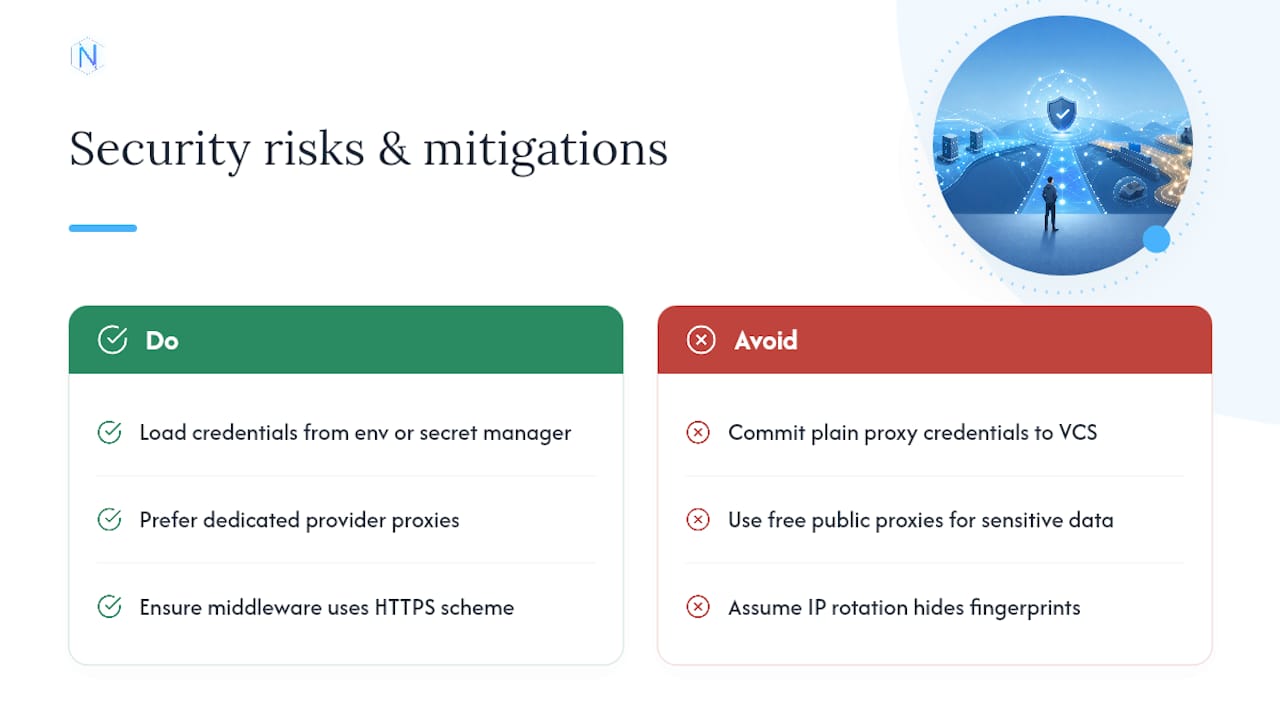
Proxies hide your crawler's origin IP, but they don't automatically make a scraping job anonymous or safe. Authentication credentials passed in plain proxy URLs, especially in logs or version control, are a real exposure risk. Keep user:pass@host:port strings out of committed settings.py files; load them from environment variables or a secrets manager instead.
Free or low-cost public proxy lists carry a different risk entirely: some log or inspect the traffic that passes through them, which matters a lot if your crawl touches anything sensitive, including cookies, tokens, or authenticated session data. Dedicated or provider-managed proxies close off that particular exposure because the IP isn't shared with unknown third parties running unknown software.
Mixed HTTP and HTTPS traffic through the same proxy also deserves attention. HTTP proxy traffic is visible to any intermediary between you and the proxy; HTTPS tunnels that traffic, but only if your middleware and download handler are actually configured to use the HTTPS scheme rather than falling back to plain HTTP. Double check this rather than assuming it's handled.
Anonymity from a target site's perspective is a different concern than payload confidentiality. A rotating IP defeats simple IP-based rate limiting, but it does nothing to hide fingerprintable patterns like consistent header ordering, TLS fingerprints, or request timing. If a target site fingerprints at that level, IP rotation alone won't get you past it. That's a separate problem from proxy selection, and it's worth knowing the difference before you assume rotation solves everything.
Is Web Scraping With Proxies Legal?
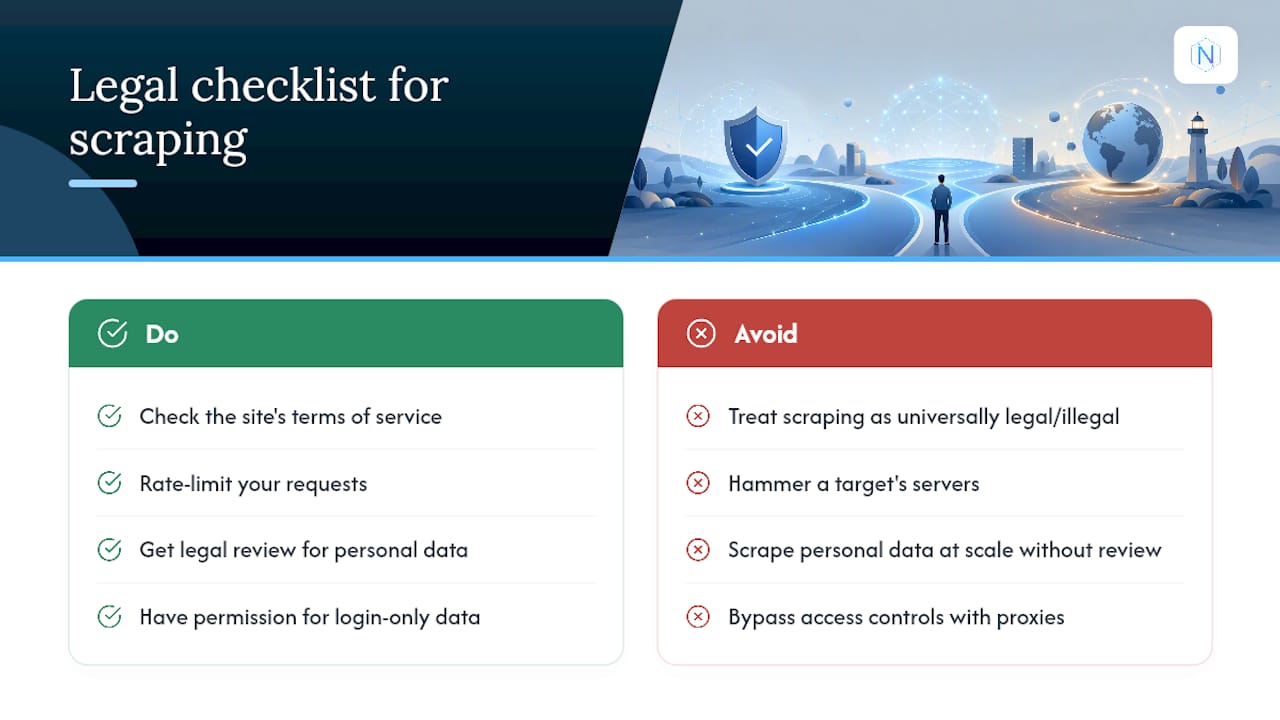
Legality here depends heavily on what you're scraping, how you're accessing it, and which jurisdiction governs the target site and your own operation. There's no single universal answer, and treating "scraping is legal" or "scraping is illegal" as a blanket rule is a mistake. What matters is the specific case: public versus authenticated data, a site's terms of service, and whether the data touches copyright or personal information protections.
A few practical guidelines apply broadly, though none replace a real legal review for your specific situation. Respect robots.txt where a site publishes one, even though it's a convention rather than a binding legal mechanism in most places. Avoid scraping data that sits behind a login wall unless you have explicit permission or a legitimate account relationship with the platform. Rate limit your requests regardless of how many proxies you have; hammering a target's servers can raise separate liability questions around service disruption, independent of anything related to data rights.
Personal or sensitive data carries the highest risk. Regulations like the EU's GDPR or various US state privacy laws can apply to scraped data even when it was technically public, depending on how you store, process, or use it afterward. If a project touches anything resembling personal data at scale, get a legal opinion before you build the crawler, not after you've collected the data.
Using proxies to access geo-restricted content or bypass access controls a site has deliberately put in place adds another layer of risk on top of the underlying data question. When in doubt, treat the target site's terms of service as your starting point, and build from there.
Provider Rotation or Scrapy Middleware: Which Actually Wins?
For most large, high-volume crawls, provider-managed rotation wins on operational simplicity. You're not writing backoff logic or babysitting a bad_until dict at 2 a.m. Custom middleware earns its complexity in narrower cases: login-gated flows, per-domain pools, or crawls where losing a session mid-scrape is expensive. If you're maintaining a list-based setup and spending more time tuning backoff than writing scrapers, that's usually the signal to migrate toward a managed endpoint instead of building a more elaborate homegrown system.
— proxy
When Does a Managed Proxy Endpoint Make Sense?
If the debugging checklist above sounds like a familiar way to spend a Tuesday afternoon, a managed backconnect endpoint removes most of that overhead. Natproxies offers dedicated static ISP proxies with unlimited bandwidth for crawls that need a stable, consistent IP, and rotating residential proxies with country, state, and city targeting for jobs that need geographic precision and fresh IPs on demand.

The trade-off comes down to this: managing your own proxy pool inside Scrapy gives you full control over cooldown logic and sticky session behavior, but it also means you own every bit of the health-check and backoff code covered above. A managed endpoint hands that off, along with built-in rotation and session handling, so your DOWNLOADER_MIDDLEWARES stack stays simpler and your engineering time goes toward the actual scraping logic instead of proxy babysitting.
Rotating residential proxies fit crawls that need to look like they're coming from real, distributed consumer connections across specific regions, while dedicated ISP proxies suit workflows where a persistent, stable IP matters more than geographic spread. Check current plans and pricing to see which fits your crawl volume, or review the acceptable use guidelines before pointing a large-scale job at a new endpoint.
Sources
- Scrapy rotating proxy guide · ScrapeOps
- HttpProxyMiddleware · Scrapy docs
- scrapy-rotating-proxies · GitHub
- How to use proxies with Scrapy: Middleware, Rotation, and Headers (2026) · DataResearchTools