

Sticky session proxies keep a single exit IP assigned to a workflow for a fixed window, so a website sees the same "person" across every request in that session. They belong in scraping and automation setups where continuity matters more than volume: logging into accounts, filling multi-step forms, or moving through checkout flows. Skip them for broad crawling or geo sampling, and never treat IP stickiness alone as a fix, since it still needs matching cookies and consistent browser fingerprints to actually hold.
TL;DR:
- Sticky session proxies best serve workflows that require consistent login, multi-step forms, or checkout processes, but they cannot rely solely on IP retention without matching cookies and stable fingerprints.
- The typical TTL for a sticky session is between one and thirty minutes, so longer tasks should incorporate renewal logic or use dedicated static IPs instead.
- Proper setup involves generating unique session IDs, testing IP consistency, cookie persistence, TTL renewal, and isolating profiles to prevent cross-account contamination.
- Combining IP stickiness with disciplined cookie and fingerprint management enhances session reliability and reduces detection risks.
- For tasks needing prolonged IP stability beyond TTL limits, dedicated ISP proxies are a more suitable choice than sticky proxies.
Table of Contents
- What Sticky Session Proxies Are and How They Relate to Load Balancer Sticky Sessions
- Sticky vs. Rotating Proxies: When to Pick Each Mode
- Practical Use Cases for Sticky Session Proxies
- How Sticky Session Proxies Work Under the Hood
- Common Pitfalls and Detection Signals to Watch
- How to Set Up and Test Sticky Sessions
- NatProxies' Approach to Sticky Session Configuration
- Typical Session Durations and Provider Limits
- Practical Mitigation and Best Practices
- A Practitioner's Take on the Rotate-Then-Sticky Pattern
- Test Sticky Sessions With NatProxies
- Sources
- FAQ
What Sticky Session Proxies Are and How They Relate to Load Balancer Sticky Sessions
A sticky session proxy binds one outbound IP to a specific session ID for a set period, so every request tied to that ID exits through the same address. Providers cap that binding at a defined time-to-live, often measured in minutes rather than hours.
The concept borrows directly from load balancing. In that world, sticky sessions route a user to the same backend server so local session state, like a login token or a shopping cart, does not get lost when a request lands on a different machine. A proxy sticky session does the same job at the network layer instead of the application layer.
Most providers implement the binding through a username-embedded session ID or an API parameter you pass with each request. Supply the same ID, get the same IP, until the TTL expires or the gateway reassigns it.
Sticky vs. Rotating Proxies: When to Pick Each Mode
The core difference is simple: sticky keeps one IP for the life of a session, while rotating swaps the IP on every request or at short intervals. Everything else follows from that.
Use sticky sessions when a target site expects continuity. Any workflow that logs in, adds to a cart, or fills out a multi-page form needs the site to recognize the same visitor from start to finish. Switch IPs mid sequence and you risk a forced logout, a broken cart, or a fraud flag.
Rotating proxies fit the opposite job: pulling large volumes of public data where each request stands alone. Price monitoring across thousands of product pages, SEO rank checks, or broad content indexing all benefit from spreading requests across many IPs so no single address absorbs the traffic pattern.
Here is the practical breakdown most teams land on:
- Sticky sessions: account logins, checkout flows, dashboards, anything with a login wall
- Rotating sessions: large-scale crawling, price and inventory monitoring, geo sampling across many locations
- Hybrid pattern: rotate through discovery (finding URLs, mapping site structure), then switch to sticky once you enter a logged-in or transactional sequence
Practitioners who work across both proxy modes generally build both into the same pipeline rather than picking one exclusively.
Practical Use Cases for Sticky Session Proxies
Sticky sessions earn their place in a handful of recurring jobs. Here is where they matter most:
- Account management at scale. Running dozens or hundreds of profiles for social media, marketplaces, or ad platforms requires each profile to keep its own consistent IP, otherwise the platform sees a login from a new location every session and starts asking questions.
- Checkout and form flows. Multi-step purchase paths, ticket queues, and lengthy registration forms need the same session end to end. A dropped IP mid checkout is one of the most common reasons automated checkout tasks fail.
- Session-based QA and ad verification. Testing how an ad or a page renders for a specific region over multiple steps means holding that regional IP steady for the whole check, not swapping it between page loads.
- Extended browsing sessions. Any task that mimics a real user clicking through several pages in sequence benefits from looking like one continuous visit rather than a scattered burst of requests.
Sticky sessions are the wrong tool for geo sampling across many cities at once or for high-volume scraping where you want maximum IP diversity. That is rotating territory.
How Sticky Session Proxies Work Under the Hood
The mechanics come down to three moving parts: a session identifier, a TTL, and cookie alignment.
You generate a session ID, usually by appending a string to your proxy username or passing it as an API parameter. The provider's gateway reads that ID and routes every request carrying it to the same backend IP. Send the same ID again five minutes later, and assuming the session hasn't expired, you get the same address back.
That TTL is provider defined, and it is the part engineers underestimate. TTLs commonly run 1 to 30 minutes, after which the gateway reassigns the IP whether your task is finished or not. Build your workflow assuming the clock is running.
IP stickiness by itself does not guarantee session continuity from the target site's perspective. A site tracks its own session through cookies, and if your cookie jar resets while the IP stays fixed, you look like two different visitors sharing a machine. Cookie-based persistence remains the most reliable signal for HTTP session tracking, which is exactly why proxy-level IP binding needs to be paired with disciplined cookie handling on your end.
This is also a protocol-agnostic feature. Whether you're hitting a REST API, scraping HTML, or automating a browser, the stickiness lives at the proxy gateway layer, not inside your application code.
Common Pitfalls and Detection Signals to Watch
Most sticky session failures trace back to a handful of repeatable mistakes.
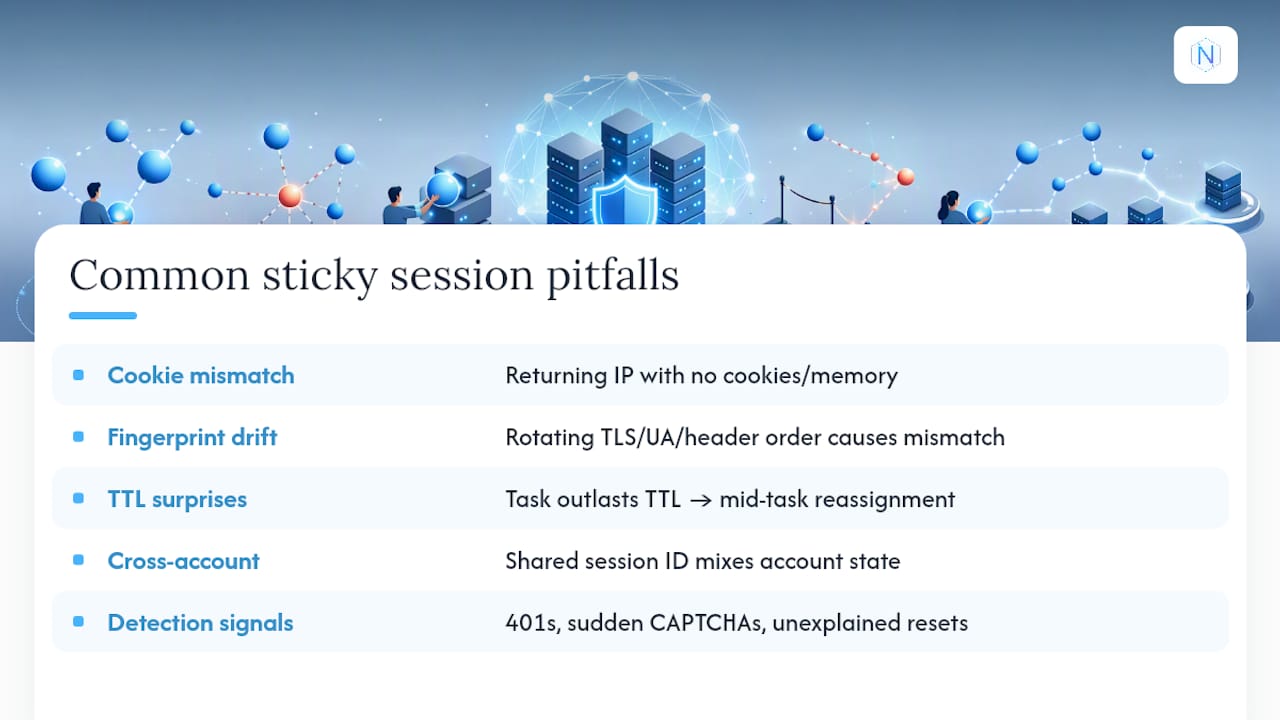
Cookie mismatch tops the list. If your IP stays fixed but your cookie storage resets between requests, the target site sees a returning IP with no memory of who it is talking to. That inconsistency reads as suspicious far more often than a clean, cookie-synced session does.
Fingerprint drift is the quieter problem. Rotating your TLS handshake signature, user agent string, or header order while keeping the same IP creates a mismatch pattern that fingerprinting systems are built to catch. Keep headers, TLS parameters, and user agent locked together for the life of a session.
TTL surprises happen when a task runs longer than the provider's cap. If your checkout flow takes eight minutes and the session TTL is five, you get reassigned mid task. Build in a renewal step before the TTL clock runs out, not after.
Cross-account contamination shows up when multiple profiles share a session ID by accident, mixing cookies and login state between accounts that should stay separate. Assign a dedicated sticky session per profile, always.
Watch for 401 responses, sudden CAPTCHA walls, or unexplained session resets. Those are your early warning system.
Pro Tip: Log the exact timestamp of every session reassignment alongside your task's start time. Within a week you'll know your provider's real TTL behavior better than their documentation tells you.
How to Set Up and Test Sticky Sessions
Getting a sticky session running correctly takes more than requesting one. Test it before you trust it in production.
- Construct your session ID. Most providers use a username pattern (appending something like
session-abc123to your proxy credentials) or a dedicated API parameter. Check your provider's documentation for the exact syntax. - Run a continuity test. Send five requests two minutes apart using the same session ID and confirm the returned IP does not change.
- Run a cookie persistence test. Log into a test account through the session, then verify the site's cookie state survives across at least three sequential requests.
- Test TTL renewal. Deliberately run a task past the expected TTL and confirm your renewal logic requests a fresh session before the old one drops.
- Assign one session ID per profile, and keep TTLs conservative, close to how long a real human would realistically stay logged in.
If your task needs continuity well beyond any sticky TTL, a dedicated static ISP IP is the better fit than stretching a sticky session product past its design.
NatProxies' Approach to Sticky Session Configuration
Support for sticky and rotating modes is available across ISP, residential, and mobile proxies, with country, state, and city targeting and TTL-aware session controls. Every session typically gets its own ID, delivery is instant, and some plans offer unlimited bandwidth options to keep long scraping runs from stalling mid task.
Typical Session Durations and Provider Limits
Session TTLs vary by provider, but they generally range from short durations suited for quick transactional tasks to longer durations suitable for extended workflows, allowing efficient IP pool rotation while supporting typical user session lengths.
The mistake most teams make is assuming a sticky session behaves like a permanent assignment. It does not. Once the TTL lapses, the gateway is free to reassign that IP to another customer, and your next request under the same session ID may return a completely different address. That is by design, not a bug in your integration.
If your workflow genuinely needs an IP held for hours or days rather than minutes, a sticky session product is the wrong category entirely. That is the use case dedicated ISP proxies exist for: one IP assigned to you for as long as your plan runs, with no TTL clock counting down in the background.
Plan your session length around the TTL, not the other way around. Break long workflows into TTL-sized chunks with renewal logic between them, rather than hoping one session lasts the whole task.
Practical Mitigation and Best Practices
The teams that get consistent results from sticky sessions treat them as one part of a larger consistency strategy, not a standalone fix.
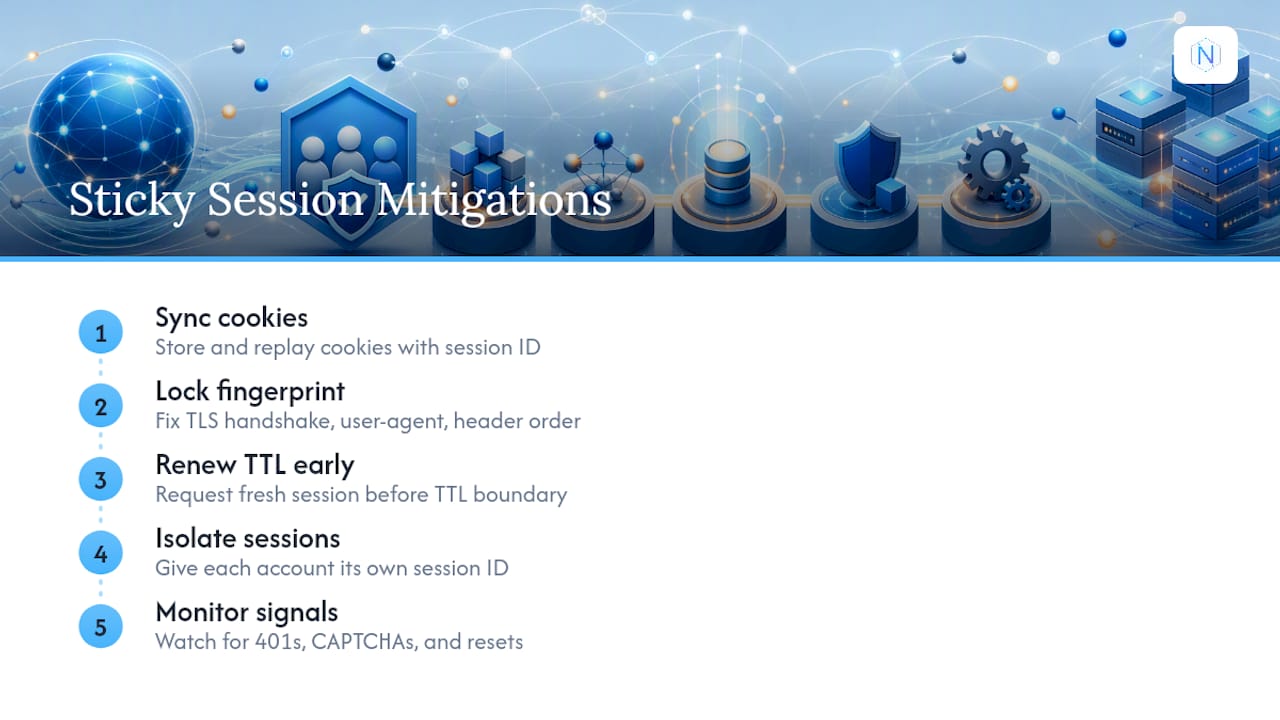
Start with cookie management. Store and replay cookies alongside every session ID, so the target site's own session tracking stays aligned with your IP stickiness. A fixed IP with a wiped cookie jar is worse than no stickiness at all, because it creates a specific, recognizable inconsistency.
Lock your fingerprint alongside your IP. That means holding your TLS handshake signature, user agent string, and header order constant for the duration of a session. Changing any of those mid session while keeping the IP fixed is one of the more obvious tells that automated tooling can flag.
Build TTL renewal into your workflow logic rather than treating expiration as an error to catch after the fact. Request a fresh session a few seconds before the expected TTL boundary, especially for tasks that run close to the provider's cap.
Give each account or profile its own dedicated session ID. Sharing session IDs across profiles is the fastest way to cross-contaminate cookies and login state between accounts that need to stay isolated.
Finally, monitor for the early signals: repeated 401 responses, CAPTCHA challenges appearing mid workflow, or session resets you did not trigger. Those signals show up well before a full block does, and catching them early is usually the difference between a task that recovers and one that fails silently. Session stickiness at the load balancer level carries similar trade-offs around uneven load distribution, a reminder that stickiness anywhere in a system trades some flexibility for consistency.
A Practitioner's Take on the Rotate-Then-Sticky Pattern
Most scraping and automation workflows work best with a hybrid: rotate proxies during discovery and switch to sticky sessions the moment you enter a logged-in or transactional sequence. Stickiness alone will not save a session where cookies reset or fingerprints drift mid task. Get the hygiene right first. The IP is the easy part.
— proxy
Test Sticky Sessions With NatProxies
NatProxies gives you sticky and rotating modes on the same infrastructure, so you can rotate through discovery and lock into a sticky session the moment a workflow needs continuity, without switching providers mid project.

Residential proxies with country, state, and city targeting handle the sticky side of account workflows and checkout flows, while dedicated ISP proxies cover jobs that need an IP held far longer than any sticky TTL allows. Bandwidth options scale with your workload instead of throttling it mid run, and delivery is automated, so there is no wait between paying and running your first session test.
If you are comparing rotating residential against sticky for an active project, run both through NatProxies against the same target and watch how each holds up under your TTL requirements. Check the pricing page for plan details and start a session test today.
Sources
- Sticky Sessions in Load Balancing - GeeksforGeeks
- What are sticky sessions | Traefik Labs
- Rotating vs sticky sessions: when each proxy mode wins | proxyscraping
FAQ
What Are the Drawbacks of Using Sticky Sessions?
The main drawbacks are TTL expiration mid task, cookie mismatches that undercut the IP consistency you're paying for, and uneven load distribution when too many sessions concentrate on the same backend resources.
Are Proxy Servers Illegal?
Proxy servers themselves are legal tools used widely for testing, security, and data collection; legality depends on how you use them, since scraping data in violation of a site's terms of service or applicable law can still create legal exposure regardless of the proxy involved.
What Does "Sticky Sessions" Mean?
It means routing all requests from one user or session to the same server or IP address for a defined period, so session state like login status or cart contents stays intact across multiple requests.
What Are Sticky Residential Proxies?
They are residential IP addresses assigned to a single session for a set TTL, combining the geographic targeting and lower block rates of residential IPs with the continuity sticky sessions provide, which NatProxies offers alongside rotating residential options for the same pool.